

Custom Integration
This guide explains how to share Consent Pro consent state (the fs-consent cookie) between sites on the same root domain when the Consent Pro runtime is installed on one of them. For example:
www.example.com(Consent Pro installed) +app.example.com(custom app)blog.example.com(Consent Pro installed) +example.com(custom site)
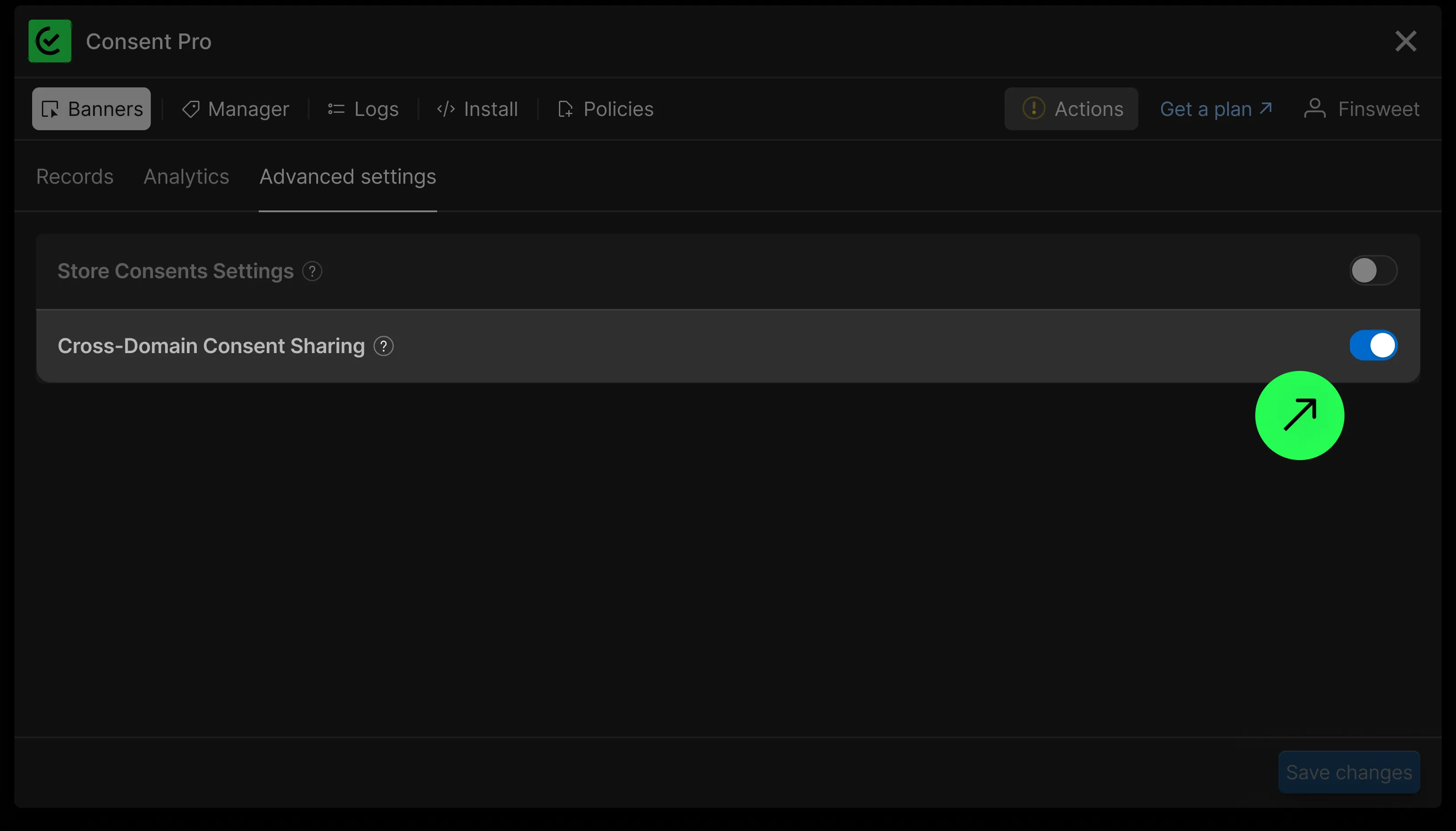
As long as both sites share the same root domain, the fs-consent cookie is automatically shared between them. Consent Pro sets the cookie on the root domain (e.g., .example.com) by default via the Cross-Domain Consent Sharing toggle in Logs > Advanced Settings.
Cookie Format
The fs-consent cookie stores a URL-encoded JSON string with the following structure:
type StoredData = {
  id: string; // UUIDv4 — unique identifier for this consent record
  choices: {
    essential: boolean; // Always true
    analytics: boolean;
    marketing: boolean;
    personalization: boolean;
  };
  timestamp: number; // Unix timestamp in milliseconds
  gpcHonoredAt?: number; // Unix timestamp — see Global Privacy Control below
};
gpcHonoredAt is only present for visitors whose browser sends a Global Privacy Control signal. If you write the cookie yourself, you must carry it forward — see Global Privacy Control below.
Example decoded value:
{
  "id": "03d978d9-2718-479f-83d9-8bc955cddbd9",
  "choices": {
    "essential": true,
    "analytics": true,
    "marketing": false,
    "personalization": false
  },
  "timestamp": 1776242805254
}
Reading Consent State
function getConsent() {
  var raw = document.cookie.split('; ').find(function (c) {
    return c.startsWith('fs-consent=');
  });

  if (!raw) return null;

  try {
    var value = decodeURIComponent(raw.split('=').slice(1).join('='));
    return JSON.parse(value);
  } catch (e) {
    return null;
  }
}

// Usage
var consent = getConsent();

if (!consent) {
  // No consent given yet — treat as no consent
  // Block analytics, marketing, and personalization features
} else if (consent.choices.analytics) {
  // Analytics is allowed — initialize tracking
}
Updating Consent State
To update consent from the site without the Consent Pro runtime, write the cookie with matching attributes. Read the existing cookie first, so that the Global Privacy Control stamp is carried forward rather than dropped:
// Captured once, when the script loads, so that it is always earlier than the timestamp of a
// consent the visitor goes on to give on this page. See Global Privacy Control below.
var gpcObservedAt = Date.now();

function setConsent(choices) {
  var previous = getConsent();

  var data = {
    id: crypto.randomUUID(),
    choices: {
      essential: true,
      analytics: Boolean(choices.analytics),
      marketing: Boolean(choices.marketing),
      personalization: Boolean(choices.personalization),
    },
    timestamp: Date.now(),
  };

  if (navigator.globalPrivacyControl) {
    data.gpcHonoredAt = previous && previous.gpcHonoredAt ? previous.gpcHonoredAt : gpcObservedAt;
  }

  var encoded = encodeURIComponent(JSON.stringify(data));

  document.cookie =
    'fs-consent=' + encoded + '; path=/; domain=.example.com; max-age=' + 365 * 86400 + '; SameSite=Lax; Secure';
}

// Example: user opts into analytics only
setConsent({
  analytics: true,
  marketing: false,
  personalization: false,
});
Replace .example.com with your actual root domain (including the leading dot).
WARNING
The domain and path must match what Consent Pro uses. If either differs, the browser will store a separate fs-consent cookie with the same name, leading to unexpected behavior.
Consent Pro uses these cookie defaults:
path—/domain—.yourdomain.com(root domain with leading dot)expires—365daysSameSite—LaxSecure—true
Handling No-Consent State
When the fs-consent cookie does not exist, the user has not yet interacted with the consent banner.
- Do not create the cookie with default values — let the user interact with the banner on the Consent Pro-enabled site first.
- The correct default behavior depends on your Consent Pro banner type:
- Opt-in — block analytics, marketing, and personalization until the user opts in.
- Opt-out or Informational — some categories may be allowed by default even when the cookie is absent. Match the defaults your Consent Pro instance applies.
var consent = getConsent();

if (!consent) {
  // No cookie yet — apply defaults matching your banner type
} else if (consent.choices.analytics) {
  // Safe to load analytics
} else {
  // Do not initialize analytics
}
Global Privacy Control
Consent Pro honors the Global Privacy Control (GPC) signal as a live opt-out request, and treats a signal that arrived after a stored consent as the visitor's more recent preference — so it revokes that consent. The gpcHonoredAt stamp is how the runtime tells the two apart: a stored consent that grants a category and carries no stamp is read as having been given before the signal was ever seen.
This matters for custom integrations, because writing the cookie without the stamp is indistinguishable from that case:
WARNING
If you write a consent that grants analytics, marketing or personalization while the visitor's browser is sending a GPC signal, and you omit gpcHonoredAt, Consent Pro will revoke that consent the next time the visitor loads a page on your Webflow site — even though it is their newest preference.
The setConsent() example above handles this. The two rules it follows:
- Carry an existing stamp forward. If the cookie you are replacing already has
gpcHonoredAt, keep that value. It records when Consent Pro first observed the signal, and overwriting it would discard the visitor's knowing override. - Set the stamp from a page-load timestamp, never from the write itself.
gpcObservedAtis captured once when your script loads, so it can never be later than the consent it accompanies. A stamp and atimestampfrom the same moment are fine — Consent Pro treats that as a knowing override. ReadingDate.now()again insidesetConsent()risks the clock ticking between the two calls and leaving a stamp newer than its own consent, which Consent Pro reads as a consent given before the signal, and revokes.
When the browser sends no signal, omit the field entirely. Consent Pro clears it on any write made while no signal is present, so a consent given with GPC switched off is deliberately not immune to a signal that arrives later.
Limitations
Consent logs are not recorded
When you update the fs-consent cookie directly from a site without the Consent Pro runtime, the change is not synced to Consent Pro's servers. This means:
- The update will not appear in Logs in the Consent Pro app.
- No consent proof is stored for changes made outside the Consent Pro runtime.
Only consent changes made through the Consent Pro banner or JavaScript API on a site where the runtime is installed are logged.
No runtime API available
The window.FinsweetConsentPro API is only available on pages where the Consent Pro script is loaded. On a site without the runtime, direct cookie access is the only option.