

Publishing Changes
Banner settings, tracker categories, and scan results are saved to the project as you work. Visitors do not see any of it until you publish.
Publish
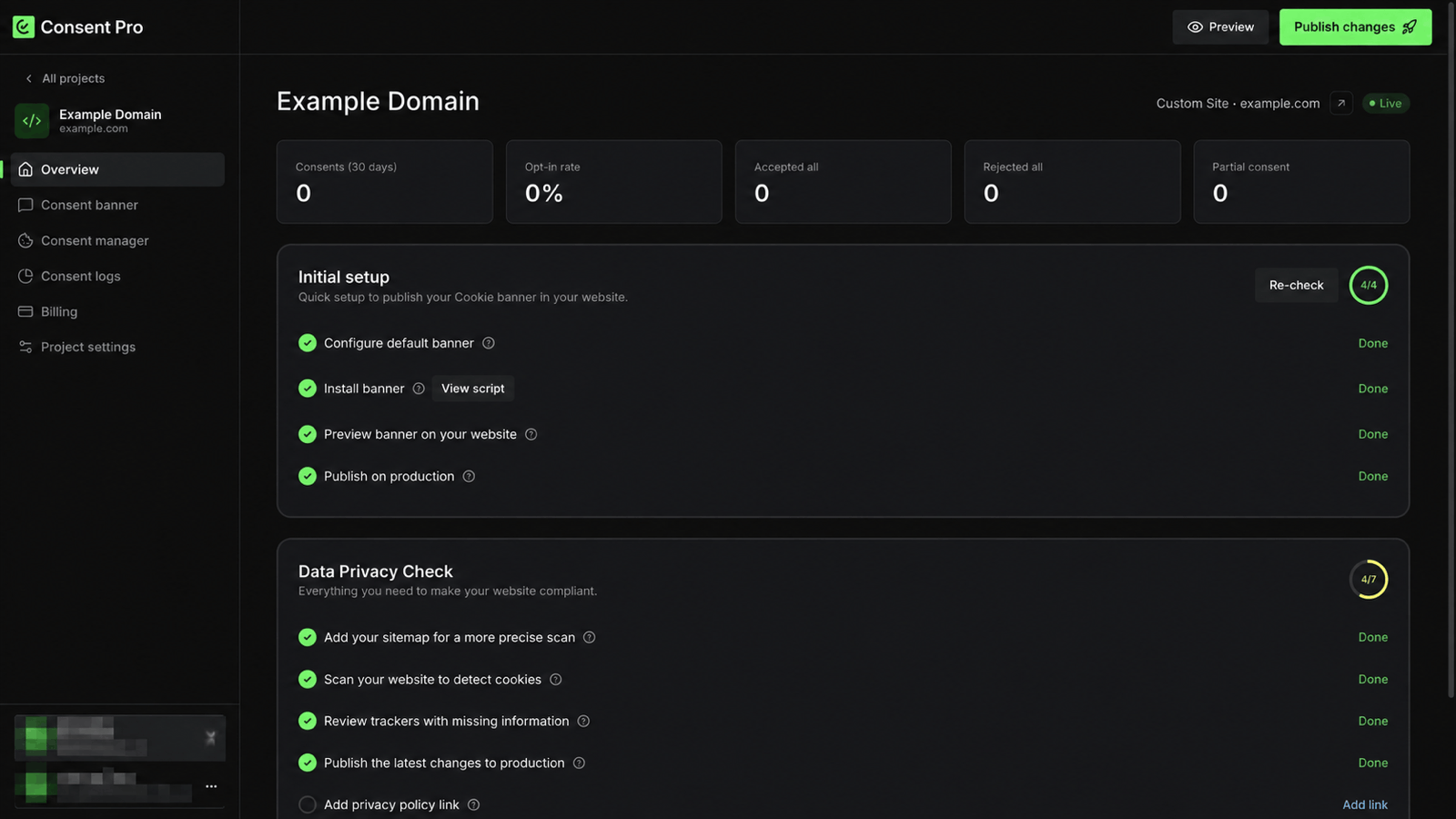
Publish changes is in the header of every project screen. When the saved configuration differs from what is live, the header notes that there are unpublished changes.
Why a publish is required
The script on your site does not read your project settings directly. It requests a published configuration file for your domain, and that file is written only when you publish. Until then — or after later edits — the site keeps serving the configuration from the previous publish.
A project that has never been published serves no configuration at all. The runtime reports that no configuration was found for the domain and keeps the consent elements hidden.
Confirm the publish reached your domain
Published configuration is cached at the edge for a long period, and publishing clears that cache for the domains it wrote. That step is reported back, and it can fail while the publish itself succeeds — so it is worth confirming rather than assuming:
- Open the production domain in a new private window.
- Confirm the banner reflects the change you published.
To inspect what the runtime actually loaded, use the Debugger.
What publishing covers
| Change | Live after publish |
|---|---|
| Banner placement, colours, copy | Yes |
| Region and banner-type assignments | Yes |
| Tracker categories from a scan | Yes |
| Privacy policy link | Yes |
| Storage endpoint | Yes |
Consent records and analytics are not part of the published configuration — they are collected from visitors as they respond to the banner.
Checklists
Initial setup on the overview tracks the steps needed to go live, ending with Publish on production. Data Privacy Check tracks the compliance items and includes Publish the latest changes to production, which reappears whenever newer changes are waiting.
Re-check re-runs these checks after you deploy the site or publish.
Verify delivery after publication
A successful publish acknowledges a saved configuration snapshot for the selected domains. Browser caches and already-open pages can retain an earlier version; publishing does not replace code already loaded in a tab. Verify a fresh browser load and requests before consent, after rejection, partial acceptance and withdrawal before claiming enforcement. Draft configuration findings describe what would be published, not necessarily what current visitors receive.