

Sitemap Setup for Accurate Scans
The current scanner starts with /sitemap.xml and follows links. Saved custom sitemap paths and collection patterns do not currently change crawling. Pinned pages replace discovery and limit the scan to those pages; they can omit trackers elsewhere.
Saving or auto-detecting a sitemap is not proof that the scanner uses that path or covers every page. Verify the pages and findings returned by each scan.
Set the sitemap path
- Open Consent manager > Scan Settings.
- In Sitemap path, enter the path relative to the site root — for example
/sitemap.xmlor/sitemap-index.xml. - Click Save.
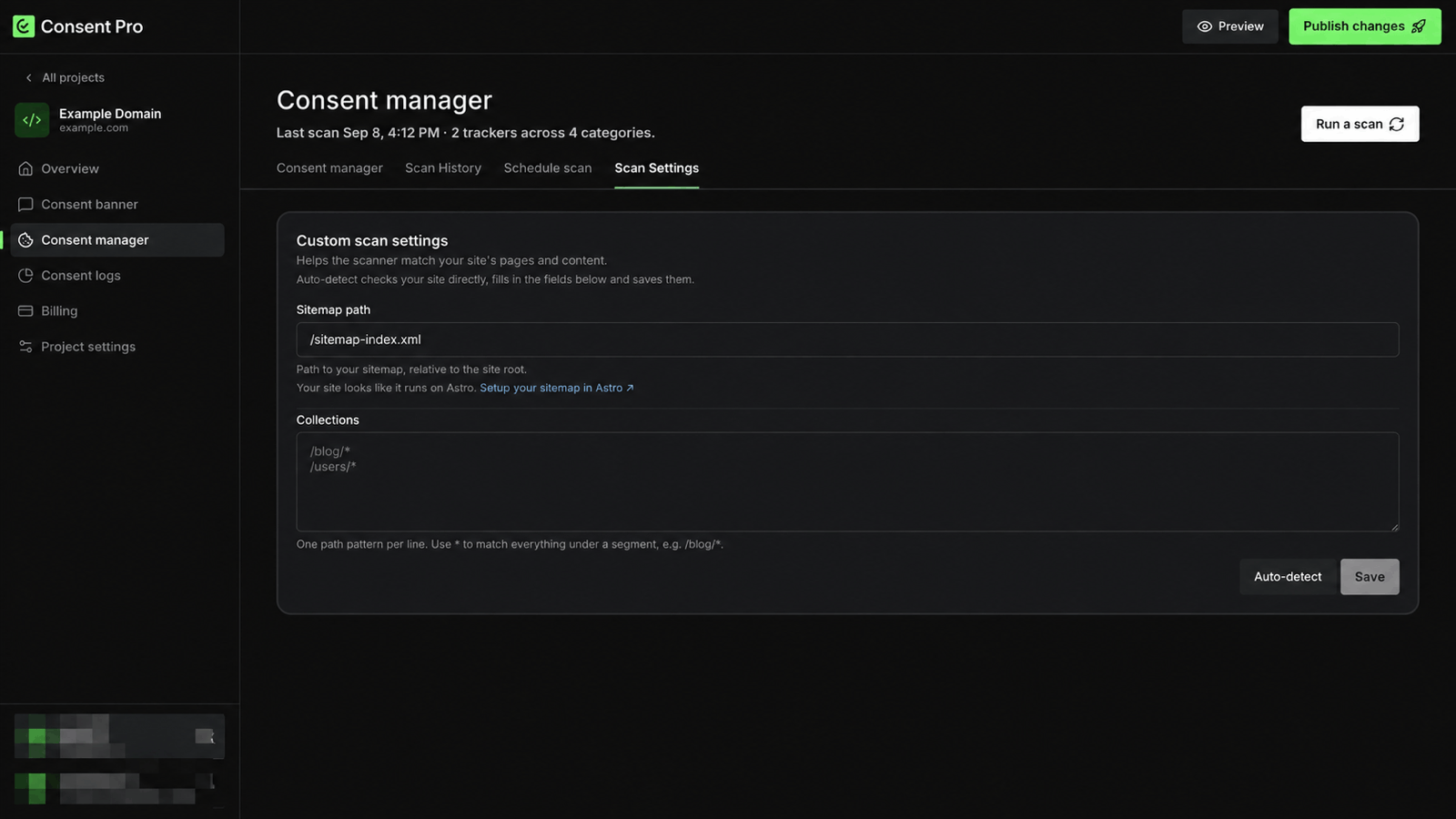
Consent Pro detects what the site is built with and links to that platform's own sitemap instructions.
Collections
Collections stores section patterns for setup; the scanner does not currently consume these patterns. Add one path pattern per line and use * to match everything under a segment:
/blog/*
/users/*
Auto-detect
Auto-detect checks the site directly, fills both fields in, and saves them. It is also reachable from Overview > Data Privacy Check > Add your sitemap for a more precise scan.
Auto-detect fills in what it can find. If it does not fill a field, set it manually.
Run the scan
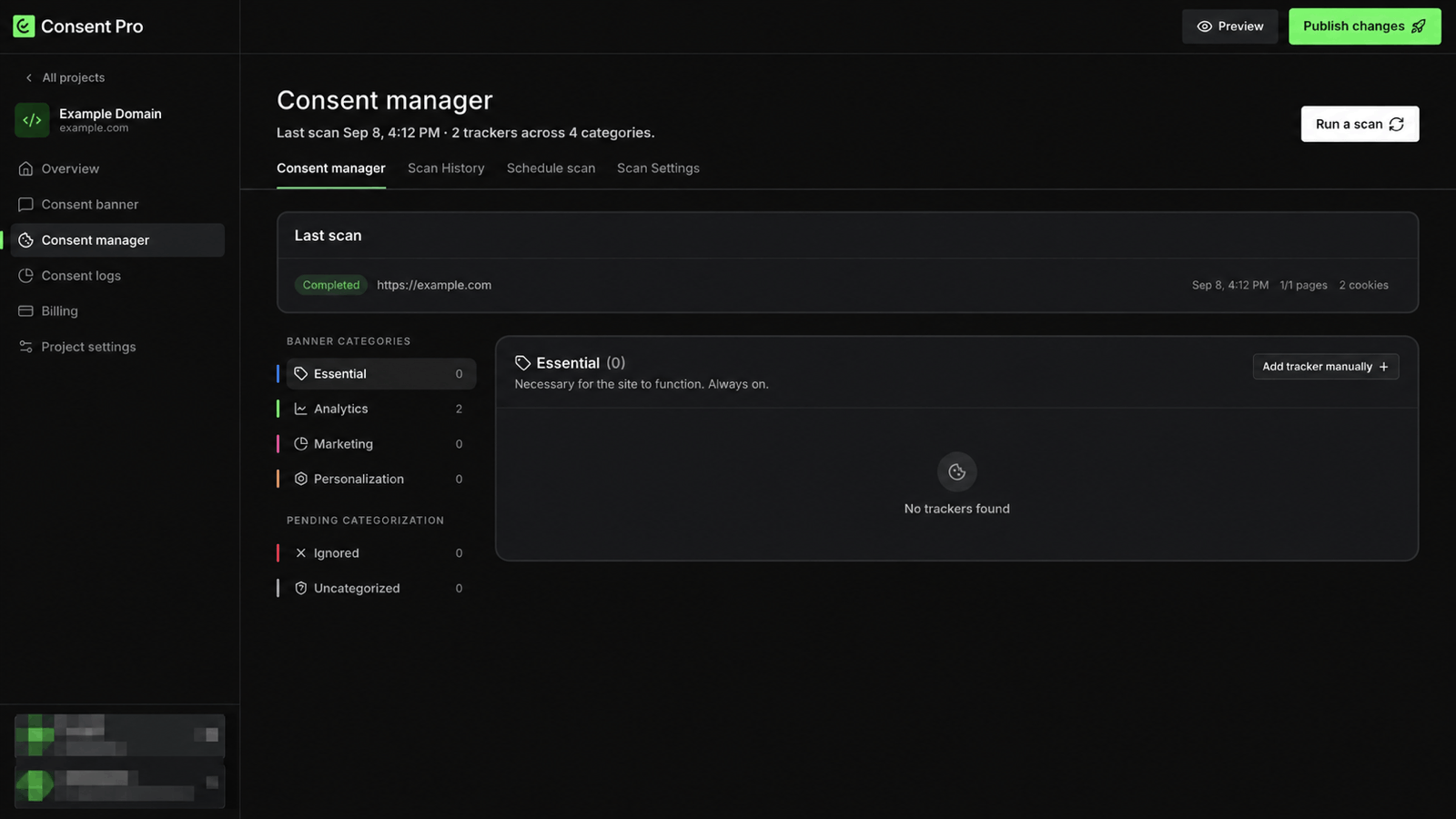
To run the current default or pinned-page scan, click Run a scan on the Consent manager tab. The header reports the last scan time and how many trackers were found across the tracker categories.
Draft and protected pages
Pages behind authentication or otherwise not publicly reachable cannot be scanned, which can leave the consent configuration incomplete. Publish the relevant pages before scanning, or configure trackers for protected content manually.
Scheduling
Schedule scan re-runs the scan on a schedule, so trackers added to the site later are picked up without a manual run. Scan History lists previous scans.
Trackers found by a scan reach visitors only after the configuration is published — see Publishing Changes.